Debugging
Debugging section allows you to preview how the lighting and shading are affecting on the material. We made that to preview how our lighting and shading are working for our shader. You can also use it for debugging if really want to.
warning
Debug views are intended for authoring and should be disabled in shipped materials!
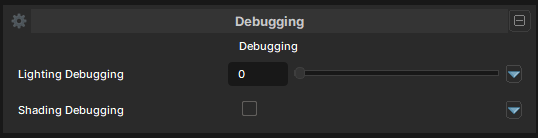
Debugging Options
Lighting Debugging
- UI Type : Slider
Int
Controls the debugging view of the lighting.
| Number | Mode | Information |
|---|---|---|
| 0 | Disabled | No debugging view. Nothing changes. |
| 1 | Direct Lighting | Dynamic Light debug view. Used for debugging Spot and Point lights. |
| 2 | Indirect Lighting | Indirect Bounced Lighting debug view. Used for debugging Bounced Lighting. |
| 3 | Attenuation | Light attenutation debug view. Used for debugging Dynamic Light Attenuation. |
| 4 | Direction/Sun Light | Directional/Sun Light debug view. Used for debugging Sun Lighting. |
Shading Debugging
- UI Type : Toggle
Enables Shading Debugging. Used for debugging the current active shading.