Screen Space Ambient Occlusion
Screen Space Ambient Occlusion is an approximation of Ambient Occlusion using Screen Space. It darkens the area where ambient light is generally occluded such as corner and close surfaces.
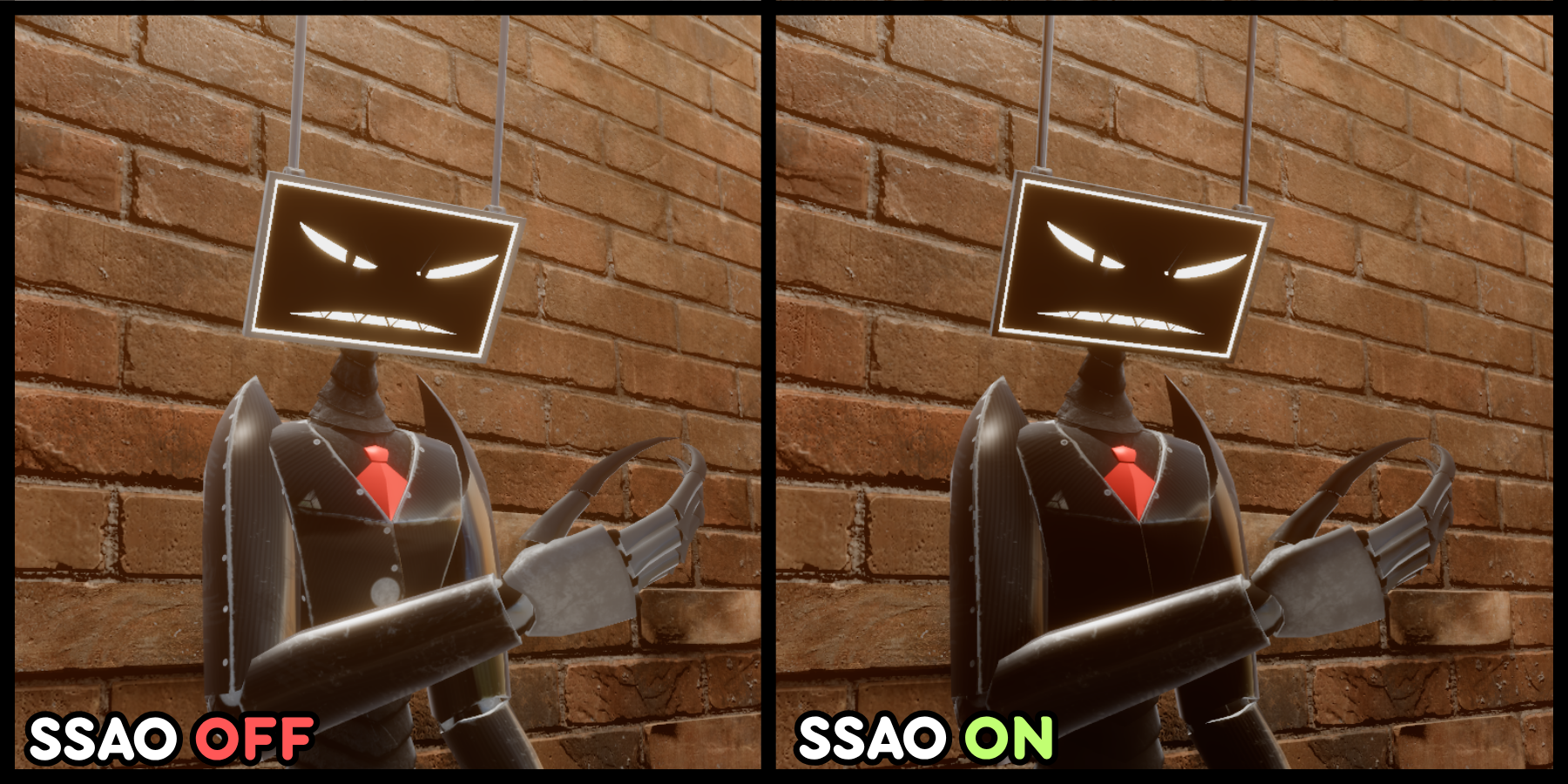
For our SSAO, we use XeGTAO provided by the engine. We didn't make our own solution. But, allows you to controls most of the stuff from our shader and even block the AO if needed.
Your scene's camera must have SSAO component added and have maxiumum intensity or a bit less to make our shader side controls work!
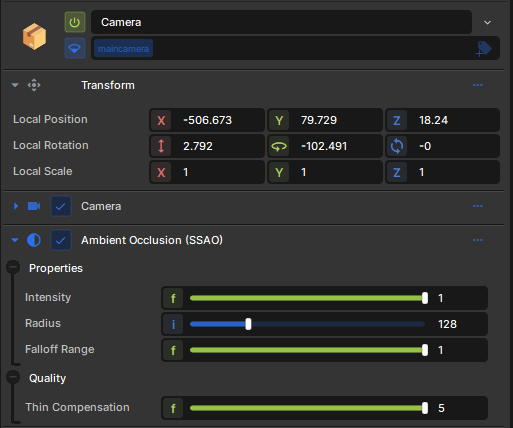
It'll also add SSAO to the scene. But, you can control if you want your character to have more intensive AO or even tints it.
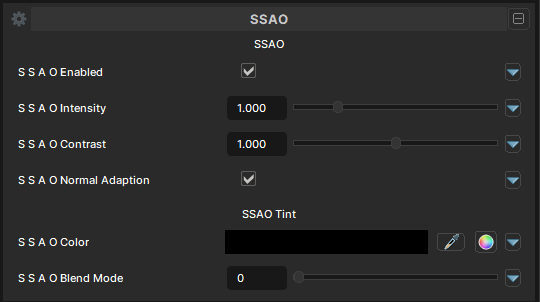
SSAO can be expensive depending on where you use.
SSAO Settings
SSAO Enabled
- UI Type : Toggle
Enables SSAO pass to use with the shader. It allows the material to use the SSAO from the scene's post process.
SSAO Intensity
- UI Type : Slider
Float- Range :
0.0 - 5.0
- Range :
Controls the intensity of SSAO. Boosts the intensity for the material alone without increasing the AO intensity of the scene's AO. You can use this when you want more intensive SSAO just for the material while keeping the scene's AO stays as it is.
SSAO contrast
- UI Type : Slider
Float- Range :
0.0 - 2.0
- Range :
Controls how much contrast the SSAO color should have.
SSAO Normal Adaption
- UI Type : Toggle
Makes the SSAO uses Per-Pixel Normals when calculating SSAO which improves the quality.
SSAO Tint
SSAO Color
- UI Type : Color
Tints the SSAO to a specific color.
SSAO Blend Mode
- UI Type : Slider
Int- Range :
0 - 2
- Range :
Controls the blending mode of SSAO to blend with the Main Color. See Blend Modes.
But, only Add, Screen and Replace are available for SSAO blending. As other blend modes are not necessary for SSAO.