Parallax Occlusion
Parallax Occlusion Mapping (POM) is an advanced version of a Normal Map that simulates actual surface depth by shifting texture coordinates based on the viewing angle. This creates the illusion of deep grooves, raised details, and large bumps without adding extra geometry to the mesh.
Compared to a traditional Normal Map, POM provides a much stronger sense of depth and makes flat surfaces appear significantly more three-dimensional, especially when viewed from an angle.
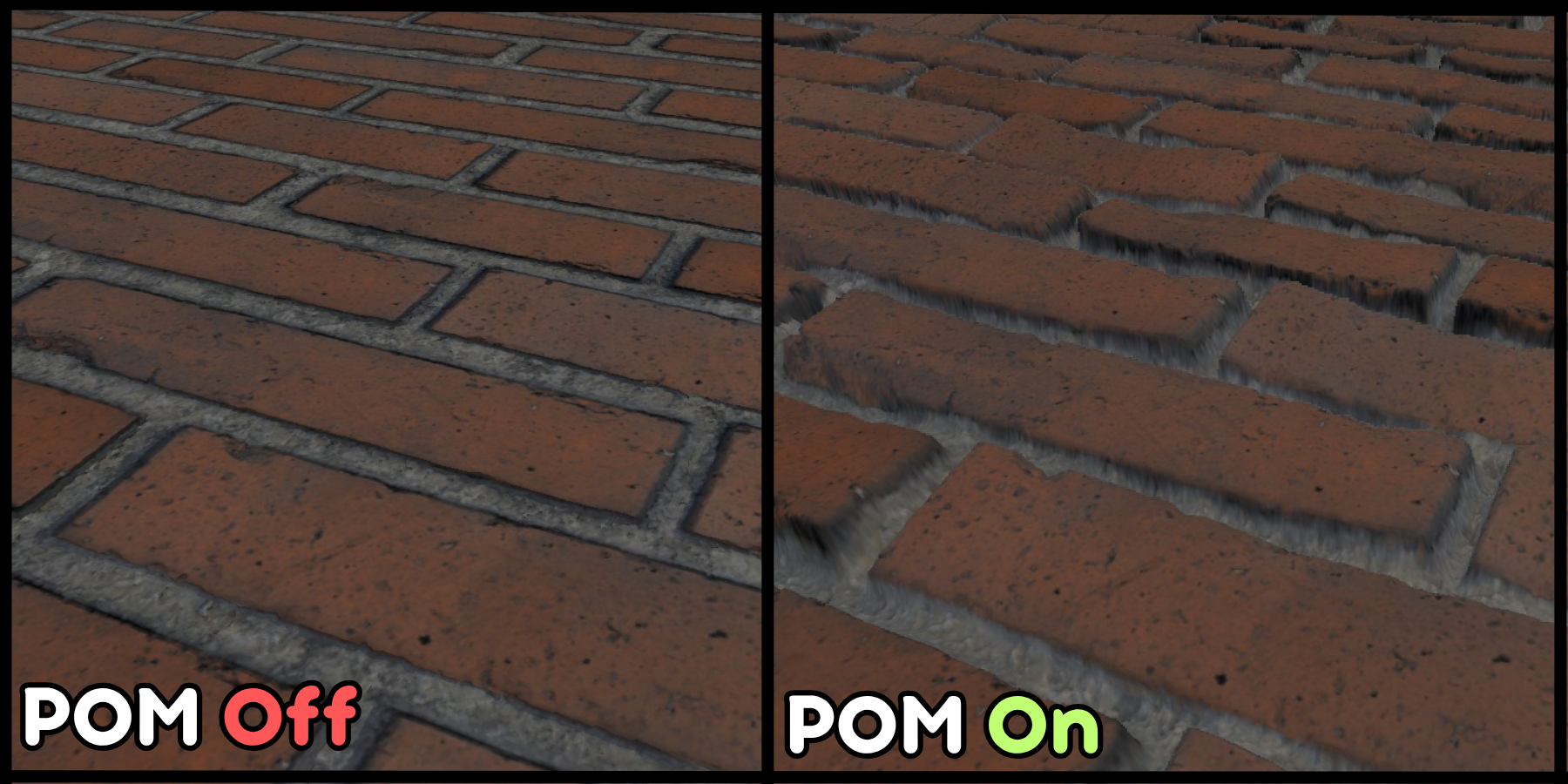
Parallax Occlusion is an expensive feature and only available in Realistic rendering mode. You should only use when you want more realistic bump and depth details.
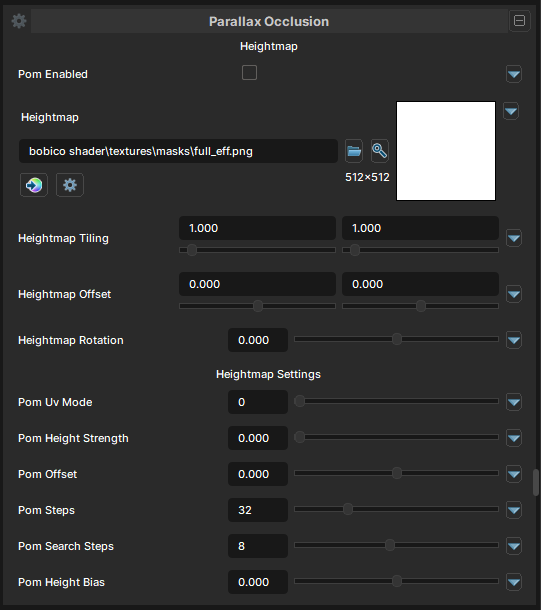
Parallax Occlusion
POM Enabled
- UI Type : Toggle
Enables Parallax Occlusion mapping feature.
Height Map
- UI Type :
 Mask Texture
- Output format : AIT1N [R]
Defines a Height map for determining where to simulate depth. UV Settings are available to use if needed.
Parallax Occlusion Settings
POM UV Mode
- UI Type : Slider
Int- Range :
0 - 1
- Range :
Selects which UV channel should be used for Parallax Occlusion. UV0 and UV1 is available to use.
POM Height Strength
- UI Type : Slider
Float- Range :
0.0 - 2.0
- Range :
Controls the intensity of Parallax Occlusion mapping.
POM Offset
- UI Type : Slider
Float- Range :
-1.0 - 1.0
- Range :
Shifts the parallax projection position, moving where the depth illusion starts.
POM steps
- UI Type : Slider
Int- Range :
0 - 128
- Range :
Controls the main raymarch quality. Higher values give more accurate depth but cost more. Steps is the main march count. It decides how many height samples the shader takes while walking through the height map to find the parallax hit.
Our shader's Steps is also view-aware. The actual step count drops when you face the surface more directly and rises when you look at it more edge-on, so the cost stays sane while preserving detail at grazing angles.
POM Search Steps
- UI Type : Slider
Int- Range :
0 - 16
- Range :
Controls the refinement pass after the march. Higher values tighten the final hit and reduce wobble, especially on steep surfaces. Search Steps is the refinement count after the march finds the crossing point. It does a smaller binary-style search between the last two samples to tighten the intersection.
POM Height Bias
- UI Type : Slider
Float- Range :
-1.0 - 1.0
- Range :
Adjusts the height map’s effective depth response, making the surface read higher or lower without changing the texture itself.