Normal Mapping
Normal Mapping section is for using a Normal Map to add details such as bumps and more. It's cheap and clean way to add more details without needing a complex mesh.
Parallax Occlusion is also available for complex, high-fidelity depth effects. However, it is significantly more performance-intensive.
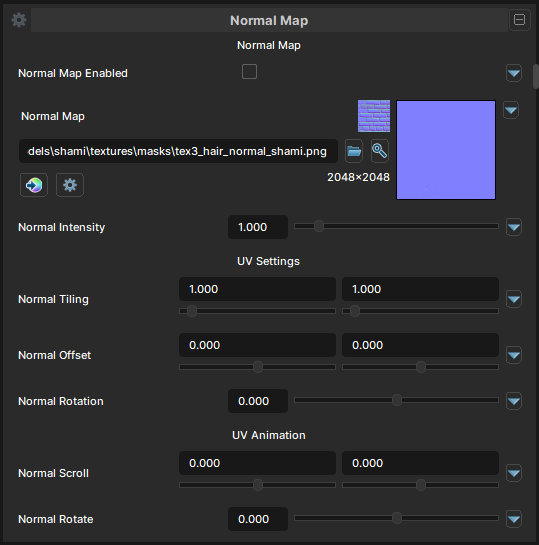
Normal Map
Normal Map Texture
- UI Type :
 Normal Map
 - Output format :
BC7 [RGB]
Defines a Normal Map to use for adding details with it. UV Settings and UV Animation settings are available to use if needed.
Normal Map Intensity
- UI Type : Slider
Float- Range :
0.0 - 10.0
- Range :
Controls the intensity of Normal Map. Ranged between 0-1 is the normal range. But, more than 1 is allowed for more intensive normal mapping.
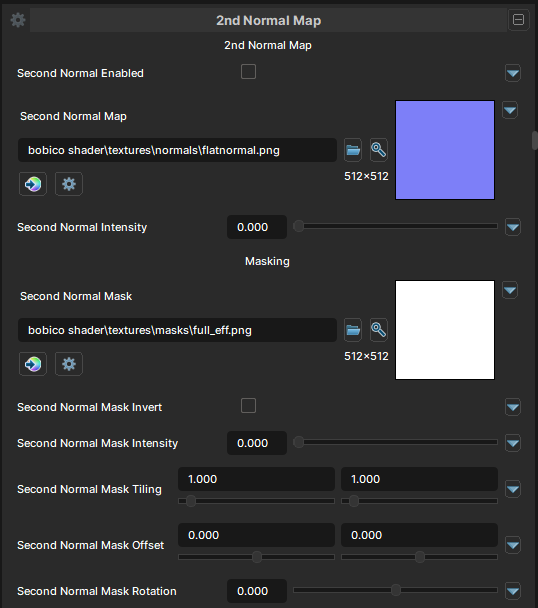
Second Normal Map
2nd Normal Map is also available if Enable Extra Layers is enabled in the sidebar.
Second Normal Map
- UI Type : Normal Map
- Output format :
BC7 [RGB]
Defines a 2nd Normal Map or a Detail Normal Map to used for adding extra details or blend with the first one. UV Settings and UV Animation settings are available to use if needed.
Second Normal Intensity
- UI Type : Slider
Float- Range :
0.0 - 10.0
- Range :
Controls the intensity of 2nd Normal Map.
Second Normal Map Mask
- UI Type : Normal Map
- Output format :
AIT1N [R]
Defines a Mask for 2nd Normal Map. It can be used for adding details to a specific area. UV Settings, UV Animation and Invert Mask settings are available to use if needed.