Subsurface Scattering
Subsurface Scattering is a rendering technique that simulates how light penetrates a translucent object, scatters internally, and exits at a different point. It gives a edge effect that shows up on the thin parts when a light source is behind.
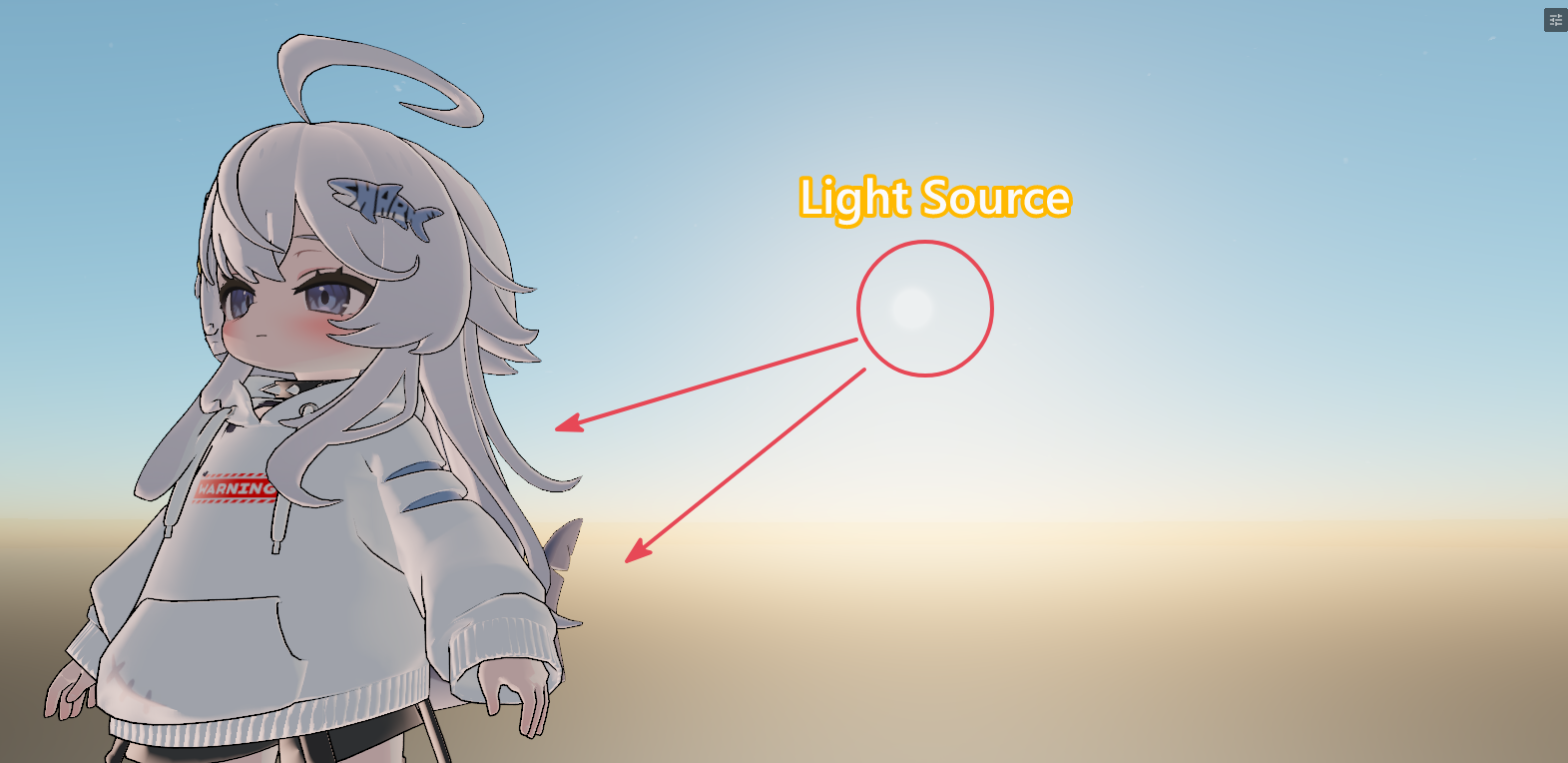
In our shader, we don't offer Realistic SSS. But, the one that's usable for most cases. It's more than enough to use in your general usage, renders and more.
Subsurface Scattering should be used instead of Backlit if you prefer a bit of realism over stylized backlighting. And, SSS in our shader works for Sun and all lights while Backlit only works with Sun light only.
Both can be used at the same time if preferred too!
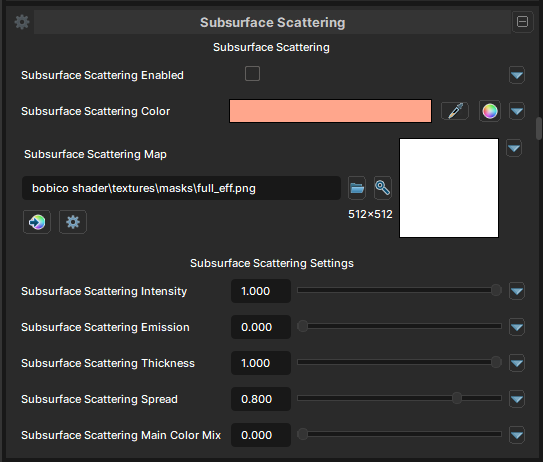
Subsurface Scattering
Subsurface Scattering Enabled
- UI Type : Toggle
Enables the Subsurface Scattering feature.
Subsurface Scattering Color
- UI Type : Color
Tints the color of Subsurface Scattering effect.
Subsurface Scattering Map
- UI Type :
 Map Texture
 - Output format :
BC7 [RGBA]
Defines a Subsurface Scattering map. RGB of the map is used for the color of the Subsurface Scattering effect. Alpha is used for Thickness of the effect and defines where the effect should come out and scatter on surfaces.
Subsurface Scattering Settings
Subsurface Scattering Intensity
- UI Type : Slider
Float- Range :
0.0 - 1.0
- Range :
Controls the intensity of Subsurface Scattering effect.
Subsurface Scattering Emission
- UI Type : Slider
Float- Range :
0.0 - 5.0
- Range :
Boosts the Subsurface Scattering effect with emission. A value of 1 can be enough to make the color glow. More than 1 can make the emission make more glow and give Bloom effect if Bloom post-processing is used.
Subsurface Scattering Thickness
- UI Type : Slider
Float- Range :
0.0 - 1.0
- Range :
Controls the thickness of Subsurface Scattering effect. Lower value make the effect thinner, while higher make the effect thicker or more intensive.
Subsurface Scattering Spread
- UI Type : Slider
Float- Range :
0.0 - 1.0
- Range :
Controls the area/spread of the Subsurface Scattering effect. Lower value make the effect cover less area, while higher value make the effect cover more area.
Subsurface Scattering Main Color Mix
- UI Type : Slider
Float- Range :
0.0 - 1.0
- Range :
Mix the Subsurface Scattering color with Main Color.