Wrap Shading
Wrap Shading is an independent shading style that is like Realistic, Except it's more of a stylized version used to give sort of 3D feel to the material. It doesn't reacts to the Directional/Sun light direction.
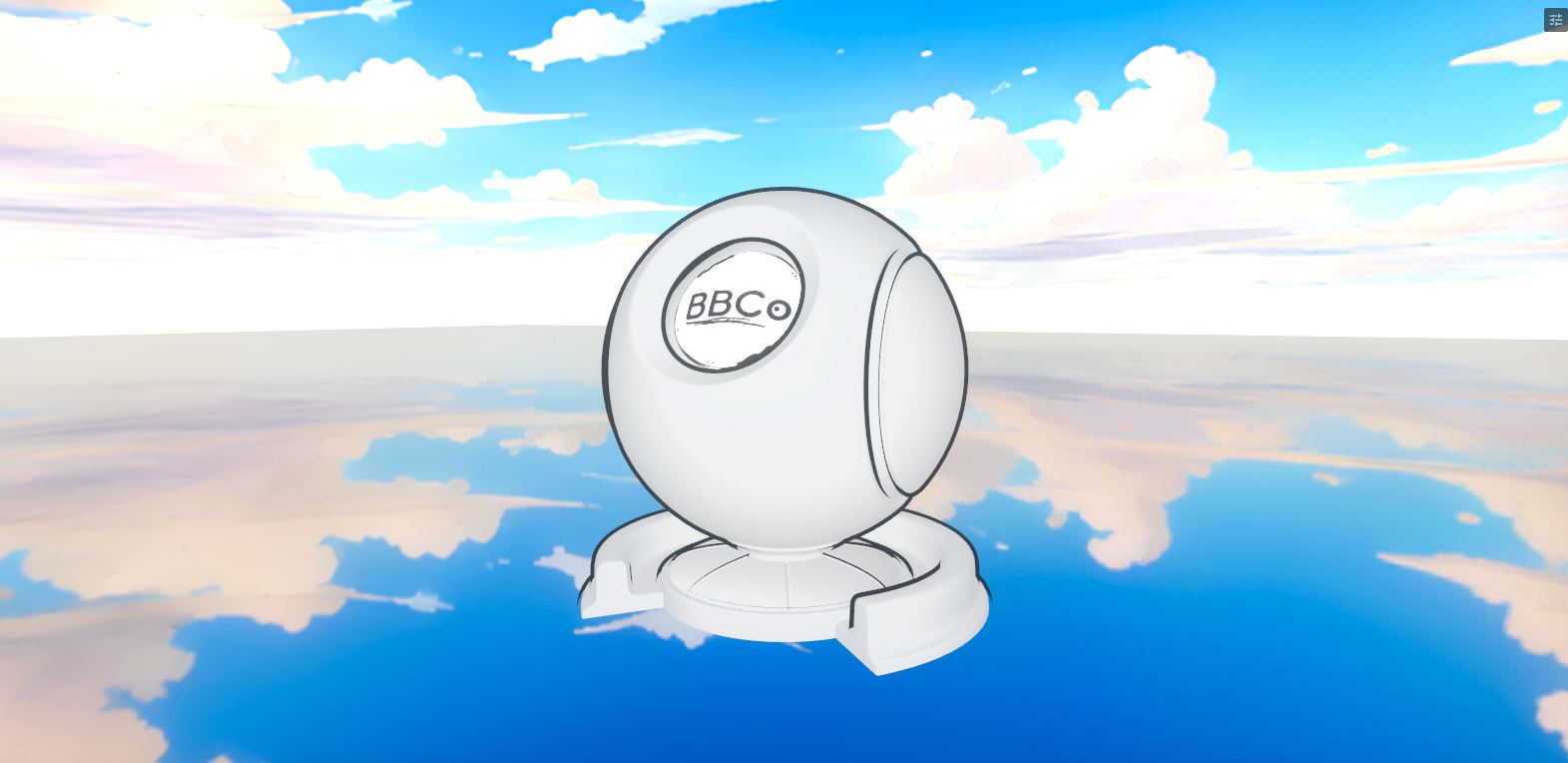
You can use this shading to put some sort of edge shading on top to work with other shadings. But, this will not show up in Realistic shading mode. As Realistic uses an advanced version that's much better than this.
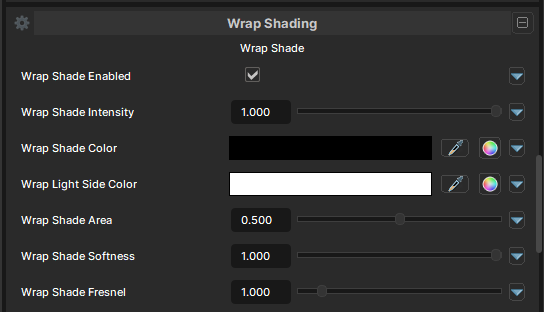
Wrap Shade
Wrap Shade Enabled
- UI Type : Toggle
Enables the Wrap Shading feature.
Wrap Shade Intensity
- UI Type : Slider
Float- Range :
0.0 - 1.0
- Range :
Controls the intensity of Wrap Shading.
Wrap Shade Color
- UI Type : Color
Tints the Shading color.
Wrap Light Side Color
- UI Type : Color
Tints the Light Side that are not shaded.
Wrap Shade Area
- UI Type : Slider
Float- Range :
0.0 - 1.0
- Range :
Controls the area of Wrap Shade. This sets the border between the shaded and lit areas. Lower values make the shading cover less area, while higher values make the shading cover more area.
Wrap Shade Softness
- UI Type : Slider
Float- Range :
0.0 - 1.0
- Range :
Controls the hardness and smoothness of the Wrap Shade. This can be used to adjust between hard toon shading and softer, more realistic shading. Lower values make the shading fully sharp, while higher values make the shading softer.
Wrap Shade Fresnel
- UI Type : Slider
Float- Range :
0.0 - 10.0
- Range :
Controls the intensity of the fresnel portion of Wrap Shade.
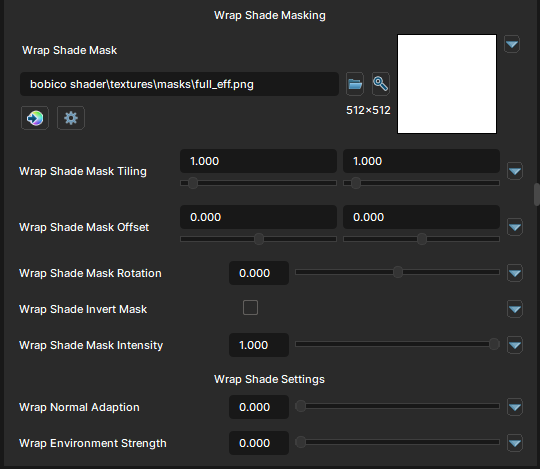
Wrap Shade Masking
Wrap Shade Mask
- UI Type :
 Mask Texture
 - Output format :
AIT1N [R]
Defines a Wrap Shade Mask texture for masking Wrap Shade effect. You can use this to mask Wrap Shade to a specific area of the Main Color. UV Settings and Invert Mask settings are available to use if needed.
Wrap Shade Mask Intensity
- UI Type : Slider
Float- Range :
0.0 - 1.0
- Range :
Controls the intensity of Wrap Shade mask.
Wrap Shade Settings
Wrap Shade Normal Adaption
- UI Type : Slider
Float- Range :
0.0 - 1.0
- Range :
Controls the Normal Adaption of Wrap Shade. It makes the shading adapts to normal maps.
Wrap Shade Environment Strength
- UI Type : Slider
Float- Range :
0.0 - 1.0
- Range :
Makes the Wrap Shade color effected by the environment lighting.